A local business rarely needs “more content” in the abstract. It needs a location page for a new service area, Google Business Profile posts for the next few weeks, social graphics that still look like the brand, and short videos cut from footage someone already recorded. An agency faces the same pressure across several clients, except every location has different services, proof points, audiences, and review language.
The best AI tools for content creation aren't necessarily the ones with the longest feature lists. This comparison focuses on practical workflow fit, including local intent, editing control, brand consistency, integrations, pricing structure, output quality, and the level of human review each tool demands. It also looks at what happens when a team moves from one-off drafts to multi-location production.
The wider market has moved quickly from experimentation to routine use. A 2026 industry study reported that 97% of content marketers planned to use AI for content marketing, compared with 90% in 2025, 83.2% in 2024, and 64.7% in 2023, according to Presenc's AI content creation research. The same research found that marketers mostly use AI inside a human-led process, especially for ideation, outlining, drafting, and editing. That's the standard applied here.
For fast discovery of tools built around local workflows, AI Tools for Local SEO provides a focused directory for comparing options across content, listings, reputation, reporting, and multi-location operations.
1. AI Tools for Local Content Creation
A local team may need a location page, a Google Business Profile post, a review-adjacent social graphic, and service-area content in the same production cycle. Each format requires different controls, so choosing a tool by its general AI features can create avoidable editing work.
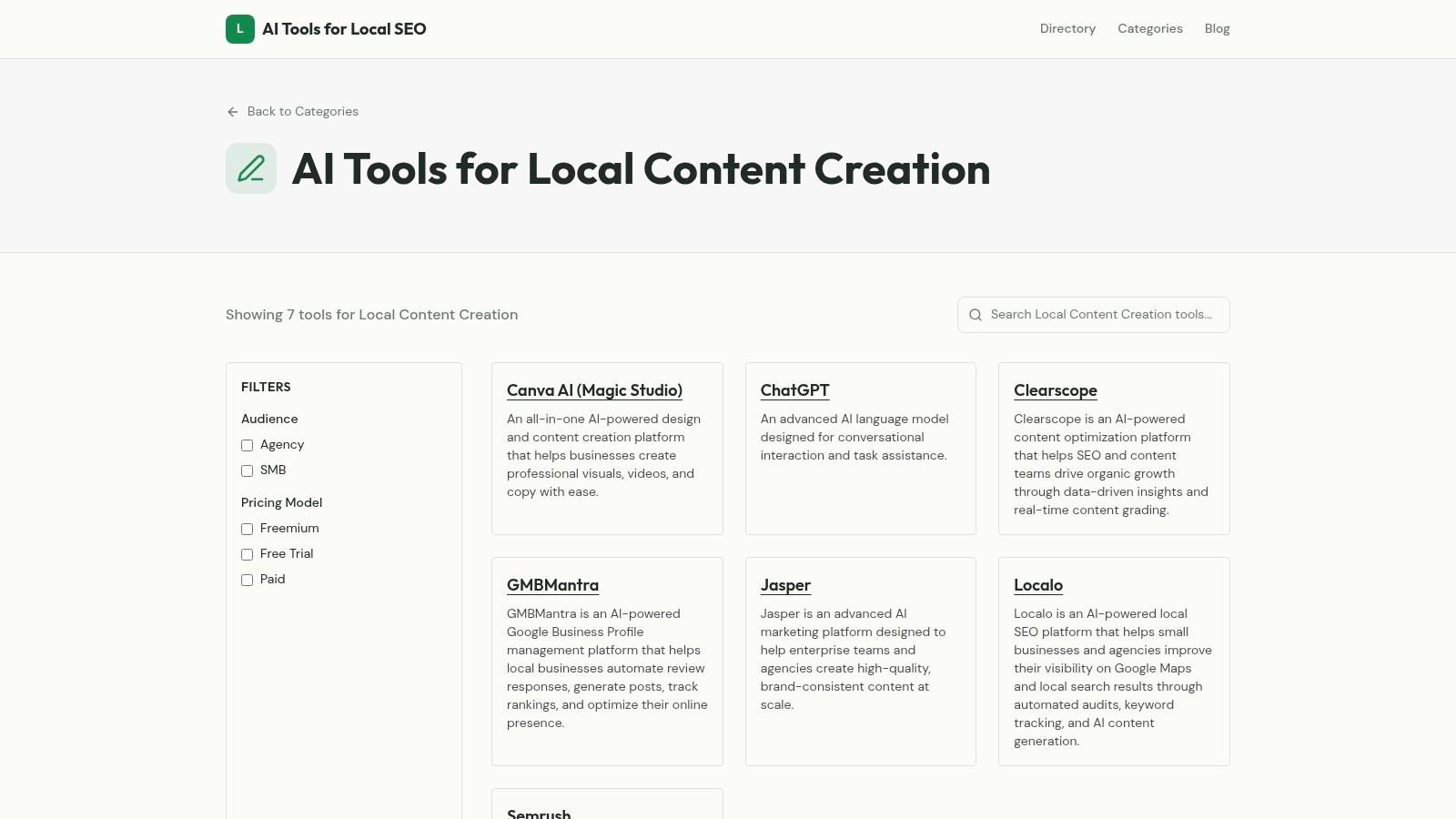
The AI Tools for Local Content Creation directory helps teams shortlist platforms by workflow. It includes visual tools such as Canva AI and Magic Studio, writing assistants such as ChatGPT and Jasper, optimization products such as Clearscope and Semrush, and local-focused solutions such as Localo.
Where the directory helps
Start with the output and review the tools that support it. A location-page workflow may need briefing, drafting, local differentiation, and optimization. A Google Business Profile post needs concise, service-specific copy. A multi-location rollout needs controlled variations, reusable templates, and a clear approval process.
- Location pages: Compare tools for briefs, first drafts, local details, and optimization.
- GBP posts: Find platforms that produce short updates without turning each post into a blog article.
- Service-area content: Assess how easily teams can adapt messaging for neighborhoods, towns, and coverage areas.
- Multi-location production: Look for repeatable structures that reduce duplication while preserving location-specific facts.
The guide to using AI for content creation in local SEO provides workflow context, while the directory supports early-stage discovery. Its summaries remain high level, and features, integrations, usage limits, and pricing may change. Test shortlisted tools with real business information before adopting them.
A directory cannot show whether a platform handles a plumbing service area accurately, respects a dental practice's compliance-sensitive wording, or follows a franchise's approved terminology. Review factual accuracy, editing effort, export options, and correction workflows. For a visual reference, the AI Tools for Local Content Creation directory view shows the range of tool categories available.
Practical rule: Use a directory to reduce research time, then test each candidate with real service areas, approved claims, and an actual review process.
Best fit: Agencies and local teams building a stack that covers writing, design, optimization, and production across locations.
Direct trade-off: The directory speeds up comparison, but hands-on testing provides the evidence needed for a buying decision.
2. Jasper
A regional HVAC company with six service areas may need a location page, a Google Business Profile post, and several social captions for each market. Jasper can help a marketing team produce those assets from a shared set of brand instructions, provided the source information is accurate and reviewers check every local claim.
Jasper is designed for marketing teams that need consistent copy across multiple contributors and channels. Its Brand Voice and brand intelligence features, referred to as Jasper IQ, can guide messaging for location pages, social posts, campaigns, and translations. That consistency is useful when an agency manages several clients or a franchise needs approved terminology across locations.
The platform's value depends on how much recurring production a team has. A business owner creating one occasional caption may find its structured controls unnecessary. An agency producing dozens of local assets each month can benefit from reusable workflows, shared standards, and permissions that reduce variation between writers.
Build the source pack before drafting
Start with verified information rather than a broad instruction such as “write a page for our new location.” Include the client's services, approved claims, service-area definitions, differentiators, prohibited wording, contact details, and examples of published copy. Ask Jasper to create a location-page brief first, then review that brief before generating the full draft.
This sequence separates planning errors from writing errors. A reviewer can confirm that the draft covers the right services, uses the correct location, and avoids unsupported promises before a writer spends time editing polished copy. For GBP posts, the same source pack can guide shorter updates, seasonal offers, and service reminders.
Local details still require human input. Add verified information about parking, appointment procedures, neighborhood context, accessibility, and questions customers ask. Jasper can preserve the requested tone, but it cannot confirm whether a branch offers emergency appointments, serves a particular suburb, or still uses a listed phone number.
Jasper works well for teams that need:
- Shared brand standards: Several writers can work from the same voice, terminology, and approved claims.
- Reusable production workflows: Agents, Canvas, or Studio can support recurring briefs, social assets, structured content, and translations.
- Team review controls: Permissions and collaboration features suit agencies with editors, account managers, and client approvals.
- Cost monitoring: Advanced functions may involve a hybrid credits model, so high-volume production needs usage tracking.
- Scalable staffing: Per-seat pricing can become a significant operating cost as a Pro team expands.
Jasper lists a 7-day free trial on Pro in the supplied product information. Use that period to test a complete local asset, from source pack and brief through edits, approval, and export. Measure the reviewer's correction time, not just the fluency of the first draft.
Best fit: Marketing departments and agencies producing multi-channel content for several contributors or locations.
Primary limitation: Jasper can maintain brand language, but it cannot verify local proof points. Require human approval for addresses, service areas, offers, compliance-sensitive wording, and claims about availability.
3. Copy.ai
Copy.ai fits local content teams that need repeatable operations rather than one-off drafting. Its workflow builder can combine text generation, web scraping, and research agents, while multi-model chat provides access to models from OpenAI, Anthropic, and Gemini.
An agency could feed in a location spreadsheet, retrieve approved business information from designated sources, create a brief, draft a Google Business Profile post and service-area paragraph, then route both assets to an internal review queue. API access and higher-tier integrations can support further automation, but the team should test each handoff before scaling it across clients or branches.
Where it earns its place
Copy.ai's templates give account managers a consistent way to define recurring deliverables. A location-page brief, review-adjacent social asset, or monthly GBP post can follow the same required fields, reducing prompt rewrites and making omissions easier to spot.
The platform becomes harder to justify for a small business owner who only needs occasional posts. Its value depends on repeated workflows, clear ownership, and enough volume to offset the added setup. Credits and advanced features may also sit behind higher tiers, so agencies should compare actual usage with the cost of maintaining the system.
Scraping can speed up research, but it does not establish that a local claim is current. The workflow might retrieve an outdated service list, repeat an old address, or misread a page. Compare every output with the client's current business data, source hierarchy, and approval rules before publication.
Use automation for the handoffs, not for deciding whether a local claim is true.
Best fit: Agencies with repeatable client deliverables, internal operations teams, and multi-location programs that need workflow automation.
Main limitation: Without a stable template, trusted sources, and an assigned reviewer, a complex workflow can produce local errors faster than a manual process.
4. Writesonic
Writesonic brings article drafting, content optimization, and AI-search visibility tools into one workspace. For a local business or agency, that can reduce handoffs between writing, SEO review, and publishing, especially when producing location pages or service-area content at scale.
Its AI Article Writer supports brand voice and content strategy. Site audits cover SEO and AI-search readiness, and the platform includes automatic fixes. The Action Center and agentic workflows can organize follow-up tasks, while Google Search Console and WordPress integrations connect drafts with publishing and measurement.
Test one local workflow first
Start with one representative service page rather than a large batch. Provide a verified service description, the actual location, the customer's problem, internal-linking requirements, and claims to avoid. Compare the draft with the current page and with the information the business gives customers.
The same process can test a Google Business Profile post or service-area variation, but each format needs its own review criteria. A location page must explain local relevance and conversion details. A GBP post needs current, concise information. Neither should inherit unsupported details from a generic draft.
Writesonic's SEO and AI-search suggestions can help teams look beyond one target phrase. Editors still need to reject formulaic recommendations. A high content score does not confirm that a business offers a service, serves a town, or has current availability.
Review the plan matrix against the intended production volume. Article allowances, credits, add-ons, and optimization features may affect the cost of running many client or branch workflows. A hands-on trial gives a clearer answer than comparing feature lists.
Best fit: Teams combining article production, site auditing, and search visibility work in one environment.
Watch closely: Automatic fixes. Review every change before publishing, especially edits to business details, metadata, internal links, and availability claims.
5. Frase
Frase connects search-result research, content briefs, drafting, and optimization in one workspace. For a local SEO specialist, that can reduce handoffs when preparing service pages, local articles, or location-page updates. Its scoring covers traditional SEO and AI-answer visibility, but those scores remain editorial signals rather than approval for publication.
Start with the customer question behind the page. Frase can surface recurring questions, related topics, competitor coverage, and content gaps around a service. The writer then has to confirm what applies to the business. Search results cannot verify that a clinic provides a treatment, a contractor serves a particular town, or a shop carries an item.
Use research to shape the brief
Topic research, automated briefs, topic clustering, content opportunities, and audits provide a planning layer for local campaigns. A team producing pages for several branches can use the same research process, then add each location's service boundaries, customer language, proof points, and conversion requirements. That separation helps prevent one generic brief from producing interchangeable pages.
Frase connects with WordPress, Webflow, Sanity, Wix, and FraseCMS. For compatible sites, those connections may reduce manual copying during publishing. Editors should still check formatting, links, business details, and page-specific claims before anything goes live.
Live SEO and GEO scores can reveal missing subjects or questions. They cannot determine whether a page reflects the business accurately, serves a useful local purpose, or reads naturally. A Google Business Profile post, service-area page, and full location page also need different review standards.
- Research strength: Competitor and SERP findings can speed up briefing.
- Production strength: Drafting and scoring share one workspace.
- Scaling concern: Article and audit limits need monitoring as client or branch volume grows.
- Editorial requirement: First-party information, human editing, and fact checks remain necessary.
Best fit: SEO practitioners creating research-led briefs and drafts for service pages or local articles.
What doesn't work: Publishing a competitor-derived brief without business context. Add verified services, coverage areas, customer needs, and conversion details before drafting.
6. Semrush ContentShake AI
Semrush ContentShake AI combines Semrush keyword and competitor data with topic ideation, outlining, drafting, and optimization. Its local targeting for articles in US markets can help a small team turn a broad subject into a draft aimed at a particular service area.
The tool fits blog production more closely than full local campaign execution. For an article about a service, neighborhood concern, or customer question, it can organize the topic around search data and suggest optimization changes. Browser extension access and brand voice settings can also reduce repetitive editing for a small team.
ContentShake AI works best as one layer in an agency workflow. Use it to develop an article or supporting section, then create GBP posts, review-adjacent social assets, short video scripts, and location-page modules in tools suited to those formats. A multi-location team should also verify that each draft reflects the branch's services, coverage area, offers, and customer language instead of reusing one generic version.
Where the data helps
Semrush data can support topic selection and surface optimization opportunities, especially for teams that already conduct research in Semrush. One-click optimization may shorten review time, but editors still need to remove awkward keyword repetition, check search intent, and add information only the business can confirm.
The product's value depends on production mix. It is easier to justify for teams that publish locally targeted blog content and already use the wider Semrush ecosystem. Teams producing many formats or managing numerous locations may need a broader content workspace alongside it.
For a wider comparison of SEO-focused platforms in local workflows, review the best AI tools for SEO.
Best fit: Small content teams and Semrush users producing locally targeted blog content.
Main limitation: Limited flexibility for non-blog formats and broader multi-channel campaigns. Use it as an SEO content layer, not the complete local content stack.
7. Canva Magic Studio
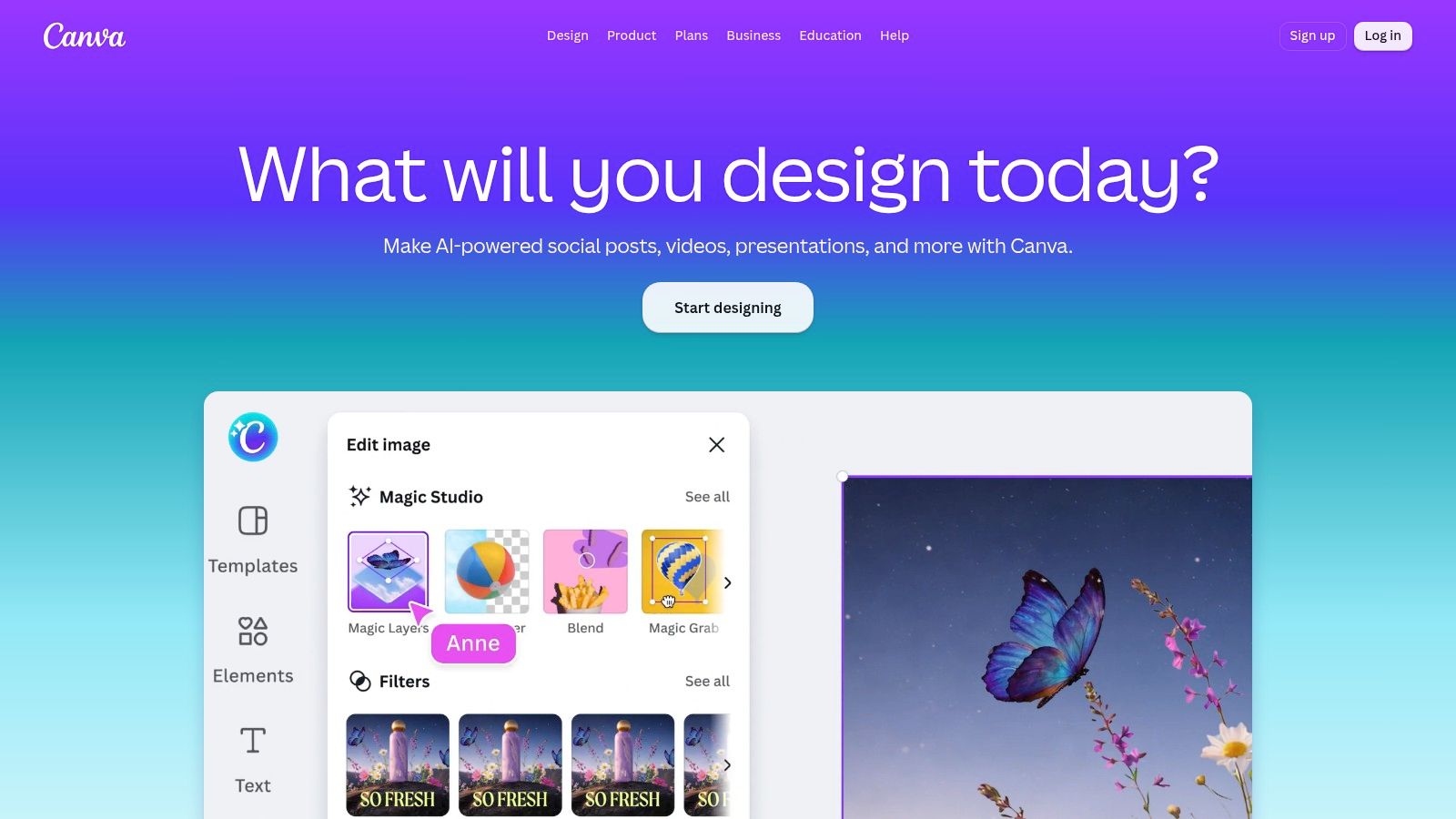
Canva Magic Studio helps local businesses turn a promotion, service update, or seasonal offer into usable visual assets without starting from a blank canvas. Magic Write and Magic Design provide initial copy and layouts, while background removal, resizing, translation tools, templates, Brand Kits, and social scheduling support repeated production.
A business can adapt one approved concept into a Google Business Profile image, seasonal social post, service reminder, menu update, flyer, and review-adjacent graphic. Agencies can create reusable layouts for each branch, keeping colors, fonts, logos, and approved imagery consistent across locations while leaving room for local offers and service details.
Fast production, careful review
Canva works well when a manager needs several channel versions quickly. One campaign can be resized, recropped, given a revised headline, and prepared for scheduling without sending every minor change to a specialist designer. That speed supports recurring local campaigns and multi-location production.
The trade-off is control over accuracy and originality. Generated imagery may misrepresent a premises, employee, product, or service. Use real business photography when customer trust depends on authenticity. Canva remains useful for layout, accessibility, cropping, branding, and adapting the same source asset to different channels.
- Local campaign production: Templates support recurring offers, announcements, and service reminders.
- Brand control: Brand Kits keep colors, fonts, logos, and approved assets aligned.
- Usage planning: AI access depends on the plan's allowance, with an optional AI Pass add-on.
- Video boundary: Specialist video editors offer deeper motion and editing controls.
Before publishing, check logos, signage, hands, products, people, location details, text, and licensing requirements. Publishing a generated image because it looks polished can create avoidable trust and compliance problems.
Best fit: Local businesses and agencies producing frequent on-brand social and listing visuals without a dedicated designer.
Main limitation: It is less suited to advanced video work or highly customized creative systems.
8. Descript
Descript edits video through its transcript, so a local team can cut spoken sections, remove filler words, add captions, use Overdub voice tools, generate videos from scripts, and create short clips without a full-time editor. It fits interviews, webinars, podcasts, staff explanations, and customer education recordings.
A service business might record an explanation of a common customer problem, then turn it into a longer educational video, several social clips, captions, and copy for a Google Business Profile post. Collaboration, stock media, translation and dubbing, and higher-resolution exports are available, with some capabilities tied to higher tiers.
The source material still matters
Editing speed does not supply local credibility. A generic script about choosing a roofing contractor stays generic unless the source includes the company's inspection process, service area, seasonal concerns, and real customer questions. Those details also need checking before they become location pages, listing posts, or review-adjacent social content.
For teams planning a broader production process, the guide to small business marketing videos provides a useful reference for deciding what to record and where each asset should appear. Descript is most effective when a business can provide source recordings consistently.
Review the plan against expected recording volume before signing up. Media hours and AI credits vary by tier, and advanced features can use credits quickly. Agencies should also account for multiple clients, revisions, languages, and shared workspaces when estimating throughput.
A useful local video usually starts with a real person, a real question, or real footage. AI should shorten the edit, not manufacture the experience.
Best fit: Non-editors repurposing long-form recordings into local social clips and educational content.
Main limitation: Credit and media-hour constraints can restrict high-throughput programs. A traditional editor may still be needed for precise creative control.
9. Synthesia
Synthesia creates videos with AI presenters and supports multilingual localization. Its stock avatars, custom personal avatars, translations, dubbing, shared workspaces, brand kits, and higher-tier SSO support structured communication across branches and service areas.
For local SEO teams, the practical use is repeatable instruction. A franchise can produce a consistent explanation of appointment preparation, service steps, or product use. A multi-location organization can then adapt the same script for different branches, languages, and service-area audiences, including Google Business Profile posts or location-page video embeds.
That consistency reduces on-camera production work, but it does not provide local proof. Avatars have a polished studio appearance and can explain a process clearly. They do not show the actual storefront, staff, neighborhood, equipment, or customer setting that makes a community-facing business credible. Pair generated explainers with real photography, footage, and location-specific details.
Keep localization factual
Every translated video needs local review. Check names, pronunciations, addresses, service boundaries, cultural phrasing, captions, and calls to action. A technically accurate translation can still sound unnatural, refer to an unavailable service, or direct viewers to the wrong branch.
Self-serve plans include credit or minute limits. Model expected usage by video count, revision volume, languages, and locations before building the workflow. Shared workspaces and brand controls help agencies and multi-location teams keep scripts, visuals, and approvals consistent, while local reviewers still need authority to correct branch-level details.
Best fit: Training, how-to content, internal communications, and repeatable explainers across locations or languages.
What doesn't work: Making an avatar the only representation of a community-facing business. Use it for structured information, then add real staff perspectives, customer context, and evidence from the locations being discussed.
10. OpusClip
OpusClip turns longer videos into short clips using automatic clip detection, captions, hooks, emoji highlights, virality scoring, aspect-ratio conversion, and scheduling. For local businesses already recording interviews, demonstrations, events, or educational sessions, it provides a fast route to social output.
A local agency can take one approved recording and create vertical clips for several channels, then apply brand templates and export to a non-linear editor when the automatic selection needs more control. That approach works well for practical material, such as a mechanic explaining warning signs, a realtor answering buyer questions, or a salon owner discussing aftercare.
Automation versus editorial judgment
OpusClip's speed is its main advantage. It can identify moments that appear suitable for short-form content and add captions without requiring an editor to watch every second manually. Hooks and scoring can help prioritize review, but they shouldn't decide what a business publishes.
An automated clip may remove context, select a weak sentence, miss a local reference, or make a cautious statement sound definitive. A human should watch the full clip, confirm the captions, check names and claims, and ensure the opening makes sense to someone who didn't see the original recording.
- Production speed: Strong for moving from long-form footage to multiple short assets.
- Distribution: Supports different aspect ratios and direct scheduling workflows.
- Creative control: Less granular than manual editing.
- Plan limits: Free output includes watermarks and export-window restrictions.
Best fit: Solo creators, small teams, and agencies with a reliable library of long-form source video.
Main limitation: It can't compensate for poor source material. If the recording lacks a clear answer, useful demonstration, or authentic local point of view, more clips won't fix the underlying content.
Top 10 AI Tools for Content Creation: Feature Comparison
| Tool | Core features | Best for | Unique selling point | Pricing notes |
|---|---|---|---|---|
| AI Tools for Local Content Creation (directory) | Curated listings, short side-by-side descriptions, local-centric categories | Marketers, agencies, local businesses evaluating tools | Prioritizes local SEO needs (GBP, location pages, citations) | Free directory; tool pricing varies |
| Jasper | Brand voice, AI Agents, long-form Canvas, governance controls | Marketing teams & agencies needing on-brand scale | Embedded brand intelligence + reusable Agents | Seat-based Pro plans; hybrid credits model; 7-day Pro trial |
| Copy.ai | Workflow builder, multi-model chat, API & integrations, templates | GTM teams and automation-heavy content ops | Chained workflows and multi-model chat access | Higher tiers unlock API/integrations; credit model |
| Writesonic | AI article writer, site audit, GSC & WP integrations, agentic workflows | Teams that want writing plus measurable SEO impact | Combines content creation with visibility tracking/repairs | Tiered credits and article allowances; varies by plan |
| Frase | Topic research, automated briefs, GEO/AI scoring, CMS publishing | SEO-first writers and local research-to-publish teams | SERP-driven briefs + GEO scoring for local visibility | Starter limits on articles/audits; scale with higher plans |
| Semrush ContentShake AI | Data-driven outlines, local targeting (US), one-click optimization | Blog-focused teams using Semrush data | Uses Semrush dataset for ready-to-rank drafts | Simple pricing; best value with Semrush subscription |
| Canva (Magic Studio) | Magic Write/Design, templates, brand kits, social scheduler | Small teams creating on-brand visuals quickly | Fast, template-driven visual production for local assets | Affordable annual plans; AI allowance or AI Pass add-on |
| Descript | Text-based video editing, Overdub voice cloning, captions | Creators repurposing webinars/podcasts into clips | Text-first editing + realistic voice cloning | Media-hour/credit limits by tier; higher tiers for hi-res |
| Synthesia | AI avatars, 1-click translations, AI dubbing, brand kits | Training/how-to and location-specific explainers | Realistic avatars + rapid multilingual localization | Credit/minute limits on self-serve plans; enterprise options |
| OpusClip | Automatic clip detection, virality scoring, auto-captions, scheduling | Social teams producing high-throughput short videos | Fast repurposing from long-form to viral-style shorts | Competitive pricing; free plan has watermarks/export limits |
Choose the Stack That Matches Your Workflow
The right stack depends on where your production process slows down. If the problem is discovery, a focused directory such as AI Tools for Local SEO can narrow the field by local workflow instead of forcing a team to compare unrelated writing, design, and automation products.
If the business needs repeatable copy across locations and channels, Jasper or Copy.ai may be the better starting point. Jasper suits teams that prioritize brand intelligence, governance, and collaborative marketing production. Copy.ai makes more sense when the agency has defined workflows that can move from research to structured deliverables through repeatable actions.
SEO-led teams should look at Frase, Semrush ContentShake AI, or Writesonic according to the task. Frase is useful for research, briefs, drafting, and content scoring in one place. ContentShake AI fits blog production tied to Semrush data and local targeting. Writesonic connects article creation with site audits and AI-search visibility work. None of them should be treated as an automatic local strategy. Search data can guide a brief, but the business still supplies the facts, distinctions, and customer context.
Canva is the practical visual layer for most local teams. It can support GBP images, social graphics, flyers, menus, announcements, and campaign variations while keeping brand assets accessible to non-designers. Use real local photography where trust depends on showing the actual business, then use Canva to format and distribute it.
Video tools require a different decision. Descript and OpusClip are strongest when the business can supply authentic recordings. Descript gives non-editors more control over transcripts and narrative structure. OpusClip prioritizes fast repurposing into short clips. Synthesia is more appropriate for consistent instructional or localized explainers, but its avatar-led presentation won't replace on-location footage when local credibility is the priority.
AI adoption also changes production economics, but lower cost doesn't automatically mean better marketing. One 2026 industry summary reported that AI assistance reduced the average cost of producing a 2,000-word article from $480 to $268 since 2024, a 44% reduction, while estimated monthly AI-assisted page publication volumes rose from 82 million to 312 million. Those figures appear in ADAI's 2026 AI content statistics summary. More output increases the need for differentiation, verification, and editorial capacity.
Before committing, test every shortlisted tool with the same small production set:
- One representative local landing page.
- One Google Business Profile post.
- One branded social asset.
- One repurposed video from authentic source material.
Score the results against local specificity, factual accuracy, editing time, brand controls, integrations, usage limits, export or publishing workflow, approval permissions, and total cost at the intended production volume. Also compare tools on factuality and controllability, not just fluent output. Independent benchmarking shows meaningful variation between generative writing tools across domains, languages, and requirement satisfaction, as summarized by AI Agent Square's writing quality benchmark review.
The best stack won't remove human judgment. It will put human judgment where it has the greatest value, defining the local angle, checking the facts, protecting the brand, and deciding whether an asset deserves to reach customers.
Start your evaluation with one real client or business location. Use the AI Tools for Local SEO directory to shortlist suitable platforms, run the four-asset test, and document the time, revisions, approvals, and publishing steps before expanding to more locations.