A regional brand can have accurate information at headquarters and still give customers a confusing experience at individual branches. One location shows yesterday's holiday hours, another has an unclaimed profile, a third has duplicate listings, and no one knows which agency login controls the account. The problem isn't adding profiles. It's building a system that keeps every profile accurate after launch.
Google Business Profile for multiple locations works best when treated as an operating function with clear ownership, standardized data, controlled updates, and comparable reporting. Google supports multi-location management at enterprise scale, including bulk verification for businesses with more than 10 locations and performance downloads for multiple profiles at once. Its Business Profile Performance API also returns daily metrics and monthly search-keyword impressions for individual locations, giving teams a foundation for structured oversight. Google's location-management documentation outlines the product capabilities that make this possible.
Why Managing Multiple Google Business Profiles Gets Complex Fast
The first few locations rarely expose the core problem. A manager can update three profiles manually, remember which account owns each one, and catch obvious errors by checking Google Maps. That approach breaks when a brand adds more branches, changes holiday hours, works with an agency, or lets local teams edit information independently.
Small inconsistencies multiply. One storefront uses “Street” while another uses “St.” A franchise manager adds a city name to the business name even though it isn't part of the official branding. An old profile remains live after a move, splitting customer feedback between two listings. Each error looks minor in isolation, but together they create a maintenance burden and a poor customer experience.
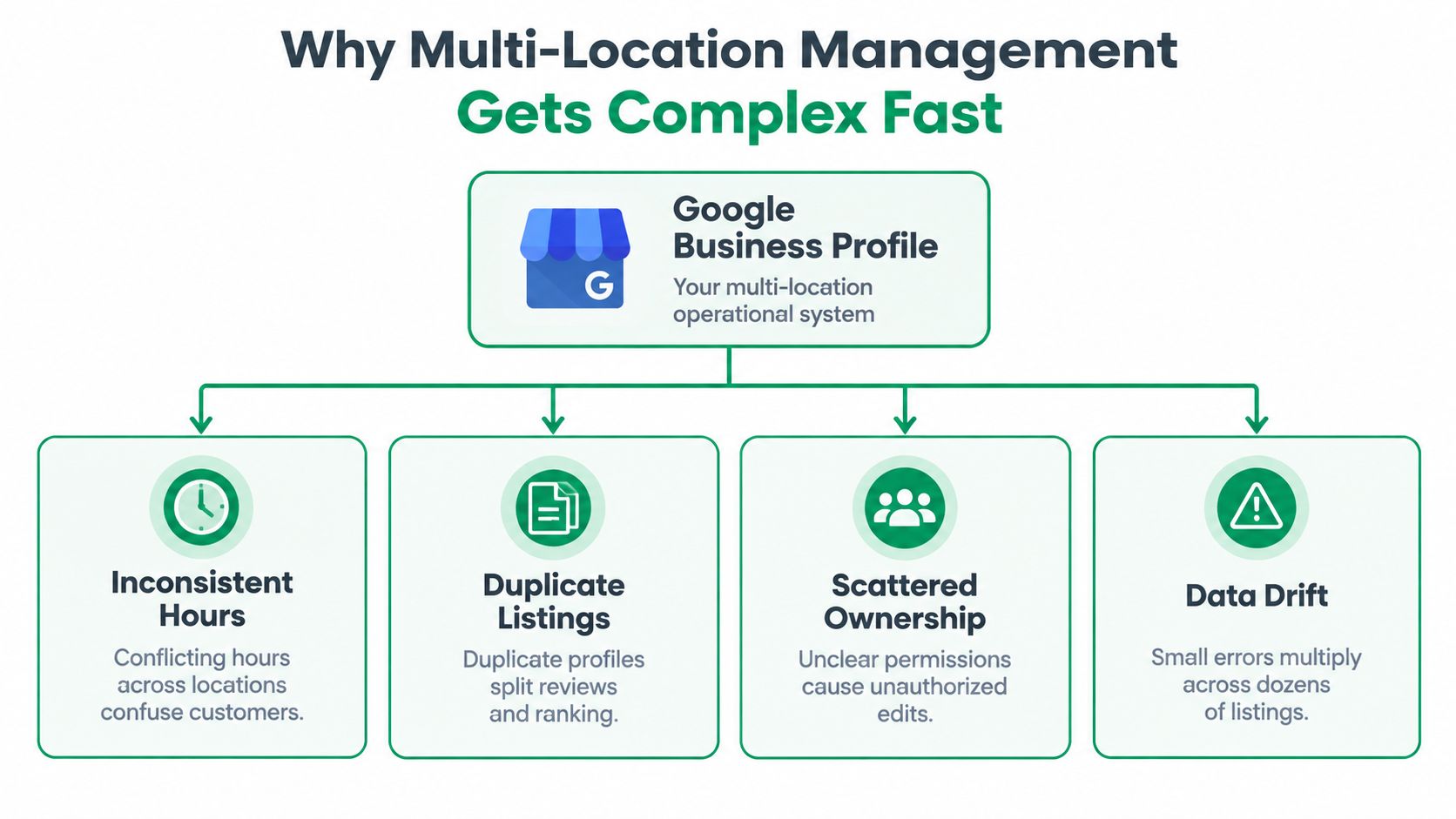
Google's own structure reflects this operational reality. Businesses with more than 10 locations of the same brand must verify locations individually or through bulk verification, and Business Profile Manager lets teams download performance data for multiple profiles at once. That threshold should change how your team works. You're no longer managing listings one by one. You're managing a location dataset with rules.
The four failure points
- Inconsistent hours: Customers see conflicting opening times across profiles, especially around holidays and temporary closures.
- Duplicate listings: Separate profiles for the same storefront can divide reviews, edits, and management responsibility.
- Scattered ownership: Former employees, agencies, franchisees, and corporate teams may all retain access without a clear owner.
- Data drift: A correct opening upload becomes outdated as phone numbers, categories, services, and hours change.
Practical rule: If a change applies to every location, manage it centrally. If it applies to one location, require a documented local approval.
A strong operating model starts with a source of truth, a permissions policy, and a repeatable audit process. The Keyword Kick local SEO playbook is useful background for agencies formalizing listing ownership and local data workflows. Teams can also compare their governance approach with this guide to managing multiple locations, but the principle remains simple: standardize before you scale.
Foundations That Keep Every Location Accurate and Compliant
Bulk tools make good data faster to publish, but they also make bad data faster to distribute. Before creating or importing profiles, create a location master file that corporate marketing, operations, franchise owners, and agency staff all recognize as authoritative.
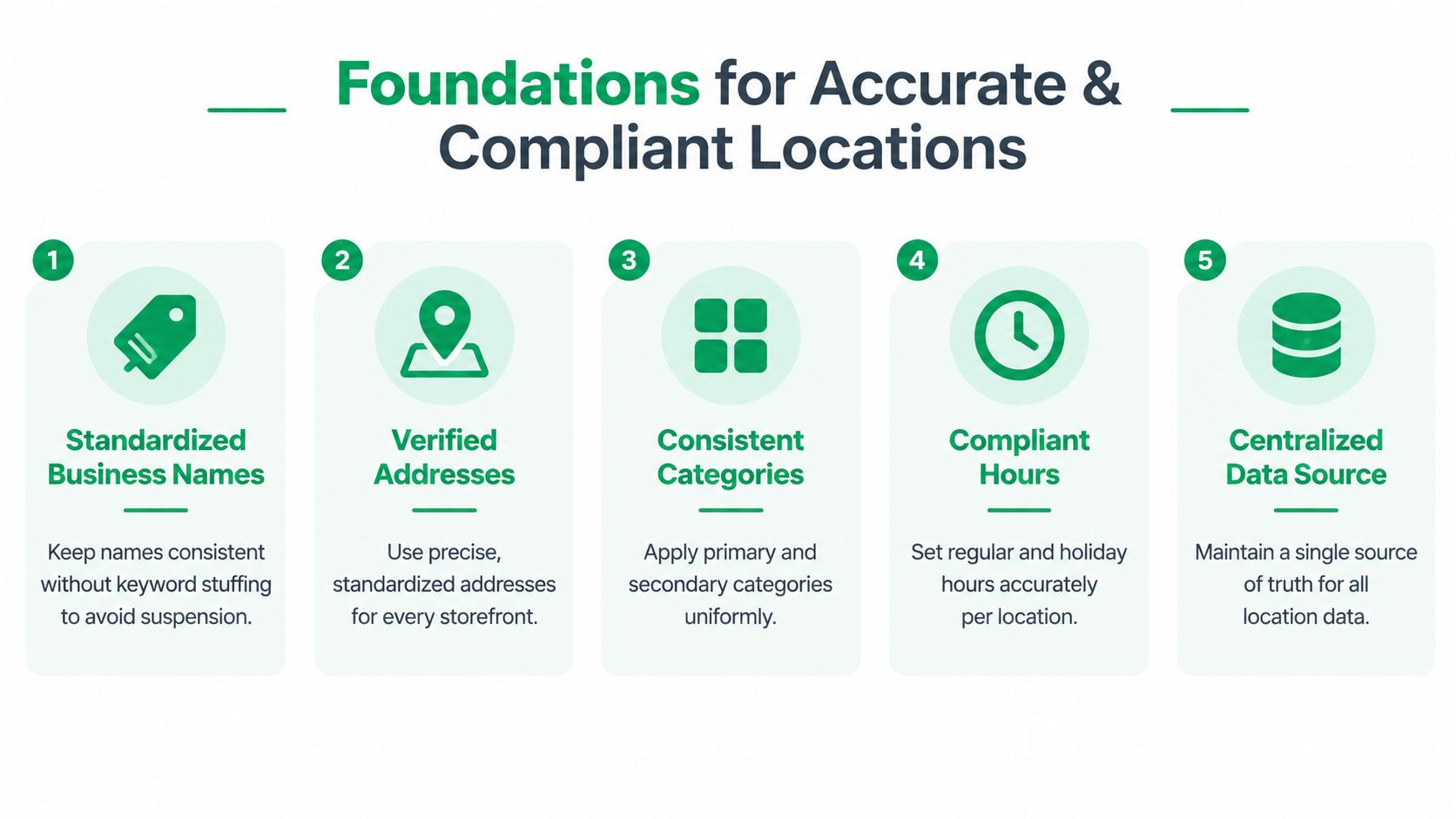
The file should identify the business name, street address, phone number, website destination, regular hours, holiday hours, primary category, secondary categories, services, attributes, and local owner. Keep a status field for each location, such as active, opening soon, temporarily closed, permanently closed, or requiring verification. That status prevents teams from treating every row as ready for publication.
Build rules, not preferences
Use the actual customer-facing business name. Don't add city names, services, or keywords merely to make profiles appear more relevant. Location identifiers can be appropriate when they are part of the legitimate real-world name, but they shouldn't become a naming convention invented for search.
Addresses need the same discipline. Use the precise address for each staffed storefront, match the address to the physical location, and decide how your organization formats apartment, suite, road, and postal details. Consistency helps reviewers identify anomalies before an import or update reaches Google.
Categories deserve central review. Choose the primary category that best describes the location's main business, then document approved secondary categories. Local teams shouldn't change categories casually because a nearby competitor uses a different setup. Record the rationale in your master file so future managers understand the decision.
Separate storefronts from service areas
The eligibility distinction matters most for service businesses. Google's guidance allows service-area businesses to define the areas they serve, but they shouldn't create a separate profile for every city unless they have staffed physical offices there. Google limits service areas to a maximum of 20, generally within about a 2-hour drive, as described in its service-area business guidance.
That means a plumber serving several towns from one office usually needs one eligible profile with service areas, not a collection of city-based pseudo-locations. A company with staffed offices in those markets may qualify for separate profiles, provided each location meets Google's requirements.
Compliance check: Don't use bulk management to multiply locations that don't exist in the physical world.
Hours and attributes also need an owner. Corporate teams can define the format and required fields, while local managers confirm exceptions such as holiday closures, seasonal schedules, accessibility details, or location-specific services. The master file should capture both the standard and the approved exception, so local accuracy doesn't become uncontrolled variation.
Bulk Setup and Verification Without Losing Control
Once the source data has passed review, use Business Profile Manager to organize the rollout. Google's documented workflow for businesses with 10 or more locations includes creating a business group, preparing a spreadsheet, uploading location data, and keeping that data current after submission. More than 10 locations require individual verification or bulk verification, so don't assume that a successful import means the work is finished.
A controlled rollout
-
Create a business group. Use a dedicated group for the brand or client rather than mixing unrelated businesses under one personal account. The group should have an accountable owner and a documented administrator list.
-
Prepare the spreadsheet. Start with Google's current template and populate it from the approved master file. Don't copy data from random live profiles, because that can reproduce old phone numbers, obsolete categories, or duplicate addresses.
-
Validate before upload. Check business names, addresses, phone numbers, URLs, hours, categories, and location statuses. Review rows for duplicate addresses and profiles that may already exist. If a storefront has an existing profile, investigate and claim or resolve it instead of creating a second listing.
-
Choose the verification path. Eligible brands can use bulk verification, while individual verification may be necessary for particular locations or situations. Keep documentation and correspondence in the central project record, not in one employee's inbox.
-
Assign permissions after launch. Give corporate administrators control of the group, local managers only the access they need, and agencies access through organization-controlled accounts. Remove access when responsibilities change.
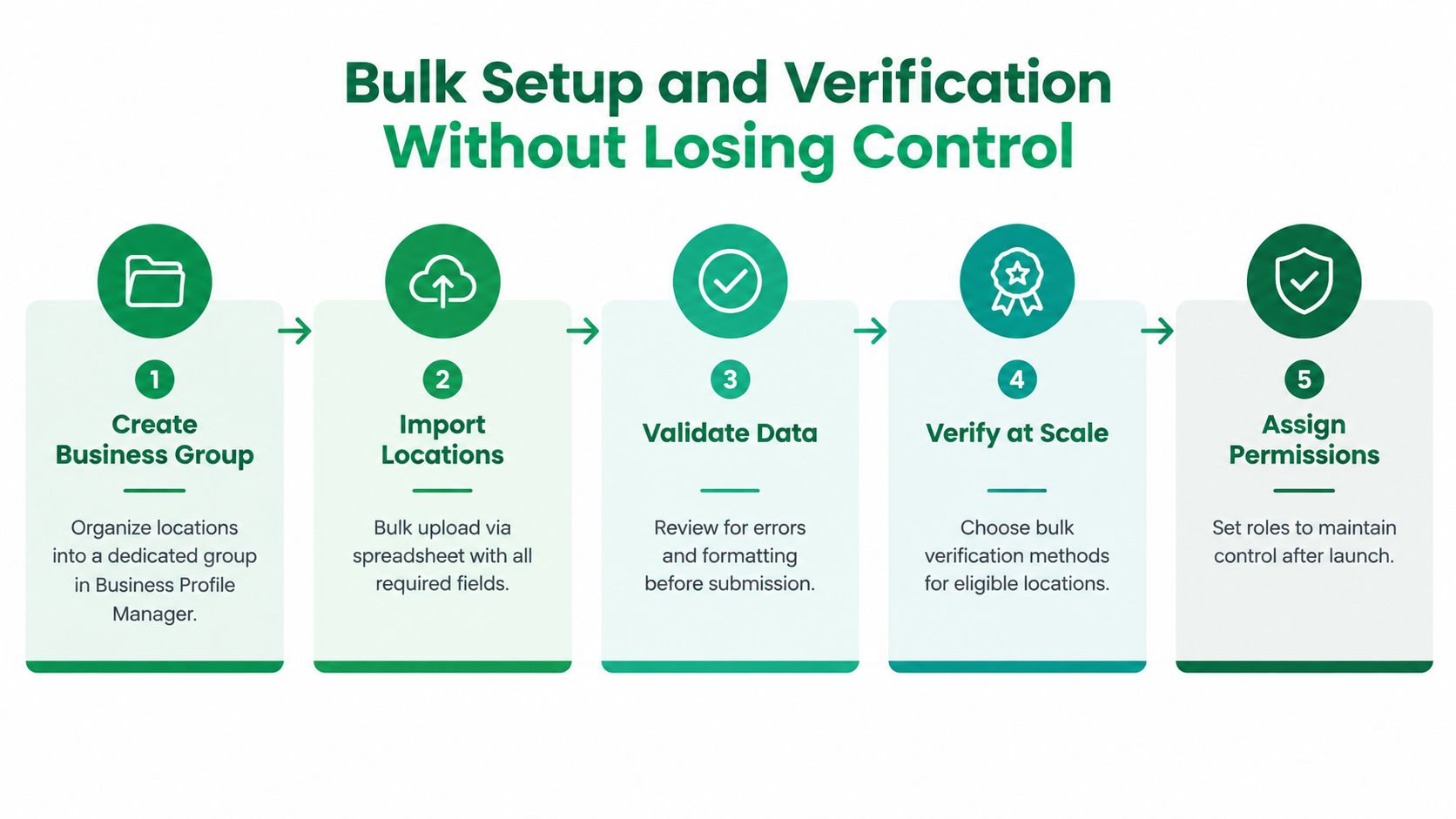
Google's Business Profile management guidance emphasizes business groups, spreadsheet uploads, and ongoing data maintenance. That last point is where many teams fail. Uploading the file establishes a starting state. It doesn't keep the profiles accurate when operations change.
Own the account architecture
The brand should own the business group, not an individual contractor. An agency can be a manager or partner, but the client needs an internal owner who can approve access, recover accounts, and authorize transfers. Keep a written record of who owns the group, who can add users, who approves profile edits, and who handles verification issues.
Segment groups only when there's a business reason, such as separate brands, operating divisions, or franchise ownership structures. Over-segmentation makes reporting and permissions harder. Under-segmentation gives too many people access to locations they don't manage.
For a detailed explanation of the verification process, teams can use this Google Business Profile verification guide. The practical safeguard is a preflight review. Before importing, compare every proposed location against the existing profile inventory, confirm eligibility, and require sign-off from the person responsible for the physical business.
Scaling Updates and Permissions With Bulk Tools and the API
After verification, teams usually choose between two operating modes. Business Profile Manager supports controlled bulk work through exports and uploads. The Business Profile Performance API supports more frequent, programmatic reporting at the location level. Neither replaces governance.
When manual bulk management works
A spreadsheet workflow is suitable when changes are occasional, the location set is stable, and a human reviewer can inspect the update before publication. It works well for planned holiday-hour changes, seasonal campaigns, controlled attribute updates, and periodic audits.
The process should be deliberate:
- Export current profile data.
- Compare it with the approved master file.
- Mark proposed changes by field and location.
- Have an operational owner approve exceptions.
- Upload the revised file.
- Recheck a sample of profiles and record the completion date.
The danger isn't the spreadsheet itself. It's allowing several teams to maintain separate spreadsheets and upload them without coordination.
When API reporting earns its place
The Performance API returns daily metrics for individual locations and monthly search-keyword impressions. That makes it useful when leadership needs recurring dashboards, when analysts need location segmentation, or when a team wants to detect changes without waiting for a monthly manual export. Google's Business Profile Performance API documentation describes the location-level reporting capability.
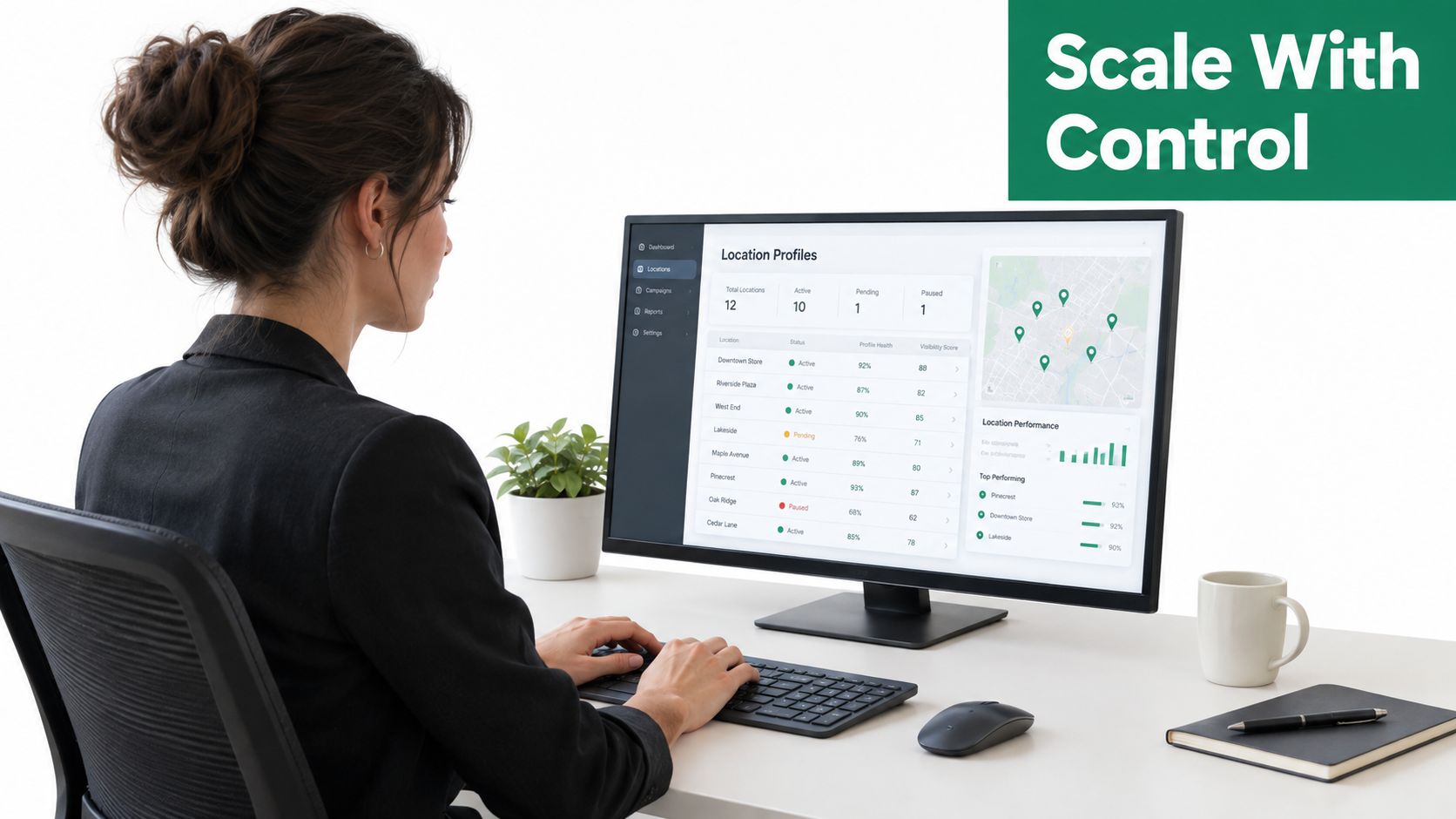
Automation becomes valuable when the team has to combine GBP data with internal systems, separate corporate locations from franchise locations, or monitor changes by region and business type. It also creates new responsibilities. Someone must maintain authentication, map API fields correctly, monitor failed pulls, and review changes when Google modifies endpoints or account-management behavior.
Use a permission hierarchy
A useful model has three layers:
- Corporate owner: Controls the business group, billing relationships where relevant, access policy, and escalation process.
- Regional or brand manager: Reviews location changes, approves local exceptions, and monitors assigned territories.
- Local operator: Confirms hours, services, photos, and customer-facing details for the specific location.
Agencies should operate within this hierarchy instead of becoming the informal owner. Give the agency the access required to work, but keep recovery and final ownership with the client. When a location moves between groups, document the destination, approver, effective date, and access impact before making the transfer.
Centralization doesn't mean every local manager loses control. It means every edit has a defined path, owner, and audit trail.
Google's ongoing API and account-management changes make a change log essential. Record what changed, who requested it, who approved it, and which locations were affected. That record helps resolve unauthorized edits and explains why two profiles legitimately differ.
Daily Workflows for Posts Updates and Review Responses at Scale
A large profile set needs a service rhythm, not occasional bursts of activity. Assign a corporate program owner, regional reviewers, and local contributors. Each role should have a queue with due dates, escalation rules, and a clear definition of completion.
A practical operating cadence
Daily work should focus on exceptions. Route new reviews, suggested edits, verification notices, ownership requests, and reported inaccuracies to the appropriate queue. A local manager can confirm whether a posted hour or service detail is correct, while a central operator decides whether the change should apply to other locations.
Weekly work should cover customer-facing activity. Schedule approved posts, offers, events, or operational notices where relevant. Use reusable templates for brand language, but require location-specific details such as availability, address, booking path, or local service information. Don't publish identical content blindly if the message needs a local action.
Monthly work should cover data hygiene. Audit completeness, hours, phone numbers, categories, attributes, links, and photos. Compare the profile against the location master file and the business's own website. Log discrepancies instead of correcting them informally, because recurring errors often reveal a broken ownership process.
Treat reviews as operational feedback
Star ratings and review counts are easy to report, but they don't tell managers what customers are experiencing. In a 2026 multi-location benchmark, only 25% of operators analyzed review content and trends, while 43% looked only at ratings and review counts. The benchmark's findings are summarized by Cheers Technologies' multi-location GBP metrics guidance.
Create review tags that match the business, such as wait time, staff helpfulness, appointment availability, cleanliness, product selection, delivery, or billing. Route recurring themes to operations rather than leaving them inside the reputation team. A response should acknowledge the customer's issue, avoid exposing private information, and move sensitive resolution into an appropriate channel.
Use response templates as guardrails, not substitutes for reading. Central teams can approve tone and compliance language, while local responders add context that makes the reply credible. Escalate legal threats, safety complaints, discriminatory incidents, and claims involving personal data.
Ownership test: Every review should have a named responder, every recurring theme should have an operational owner, and every unresolved issue should have an escalation path.
Teams that need a structured review workflow can consult this resource on multi-location review management. A platform directory such as AI Tools for Local SEO can also help teams evaluate software categories for review management, reporting, and local workflow automation.
Measuring Performance Across Locations and Proving Impact
Reporting fails when every location uses a different definition of success. Start with a common scorecard, then allow regional teams to add business-specific measures. For Google Business Profile, the shared fields should include calls, direction requests, website clicks, and search-keyword impressions where available. Pair those metrics with profile completeness, review themes, verification status, and unresolved data issues.
Google supports a practical two-layer workflow. Business Profile Manager can download performance data for multiple profiles at once, which is useful for a cross-location spreadsheet review. The Performance API can provide daily location-level metrics and monthly search-keyword impressions for teams that need automated monitoring. The workflow described in Google's Business Profile support documentation supports both approaches.
Build a comparison model
Don't rank locations using raw totals alone. A larger branch may naturally generate more actions than a smaller branch, so compare each location with its own previous period, its region, and similar locations in the same operating category. Keep the comparison window consistent and annotate events such as closures, relocations, staffing changes, campaigns, or major service changes.
The 2026 survey of 811 multi-location marketers found that 88% reported measurable results from Google Business Profile, but only 20% could fully measure each initiative's contribution to visits, reservations, and inquiries. The same survey reported that 70% use GBP as a customer-acquisition channel, 52% still aggregate GBP data manually every month, and 27% can't compare performance across their own locations. The survey summary puts the reporting problem in concrete terms.
Measure patiently, improve continuously
A profile audit should answer more than “is it verified?” Check whether information is complete, whether customers receive accurate directions and hours, whether reviews reveal a recurring service issue, and whether actions are changing over time. Treat each location as an operational unit, not merely a row in a dashboard.
The benchmark data also shows why short-term judgment can mislead. 88% of operators reported measurable results from GBP work, but only 76% saw those results within a year and 5% saw them within the first month, according to the multi-location performance benchmark. Set a long enough measurement window to distinguish launch noise from a durable trend.
Start with one controlled inventory, one owner, and one reporting template. Then resolve duplicate risk, verify eligible locations, standardize permissions, and schedule recurring audits. If your team manages multiple locations today, assign the first data-quality review this week and require every correction to have a named owner and a documented source.
Contact your internal marketing lead or local SEO partner today and request a complete GBP location inventory, permission audit, and reporting export. Use the results to identify the first locations with inconsistent data, unresolved ownership, or missing measurement, then create a documented remediation plan before adding another profile.